
Many Xiaomi users search for a “Mi account lock code,” looking for an easy fix. They hope for a fast shortcut to bypass the security screen right away. However, Xiaomi uses strong identity protection that a simple code cannot break. You must use official verification or a professional tool to regain access.
In case you cannot remember your password, you might need a better solution. This is where Dr.Fone Screen Unlock helps by providing a clear guide. Thus, in this guide, you will explore why codes fail and how to use real methods.
Part 1. Why a “Mi Account Lock Code” Can’t Actually Unlock Your Device
The “Mi account lock code” shown on a locked Xiaomi phone is not a secret password. In reality, this code only identifies your phone inside Xiaomi’s servers. When the lock screen appears, the code shows the IMEI information together. This does not mean the code contains a password or secret key. Moreover, Xiaomi uses online servers to check whether a device remains account-bound.
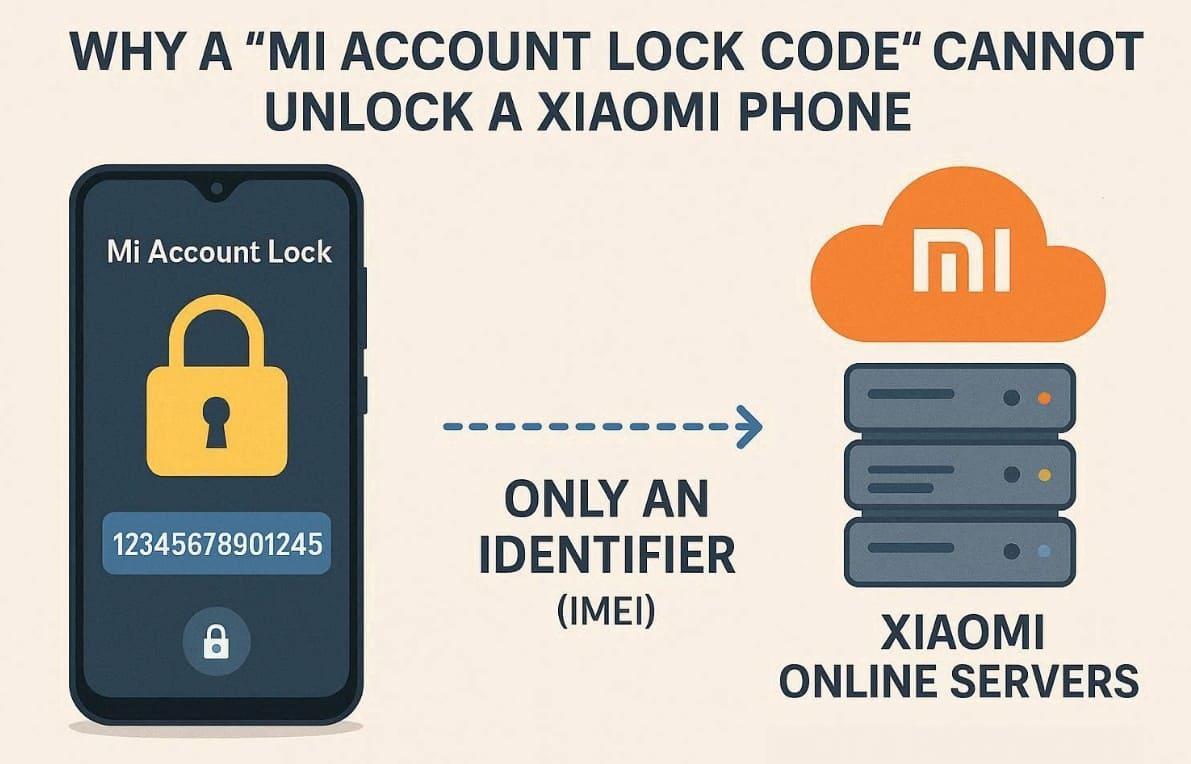
These servers verify ownership before allowing any request to unlock Android Phone. Without that confirmation, the lock stays active no matter what number you type. This system protects user data and prevents misuse. Therefore, searching for random codes wastes time and delays real recovery steps. So, understanding this helps users focus on proper methods instead of false promises.
Part 2. Top Reason You Need Verification Instead of a Bypass Code
Modern security systems on Xiaomi devices rely on solid digital identity checks. You cannot simply bypass these barriers by typing in a random Mi account lock code. Verification proves you are the true owner of the locked mobile device. These rules ensure that only the rightful user can access their data. So, below are clear reasons why proper verification matters most:
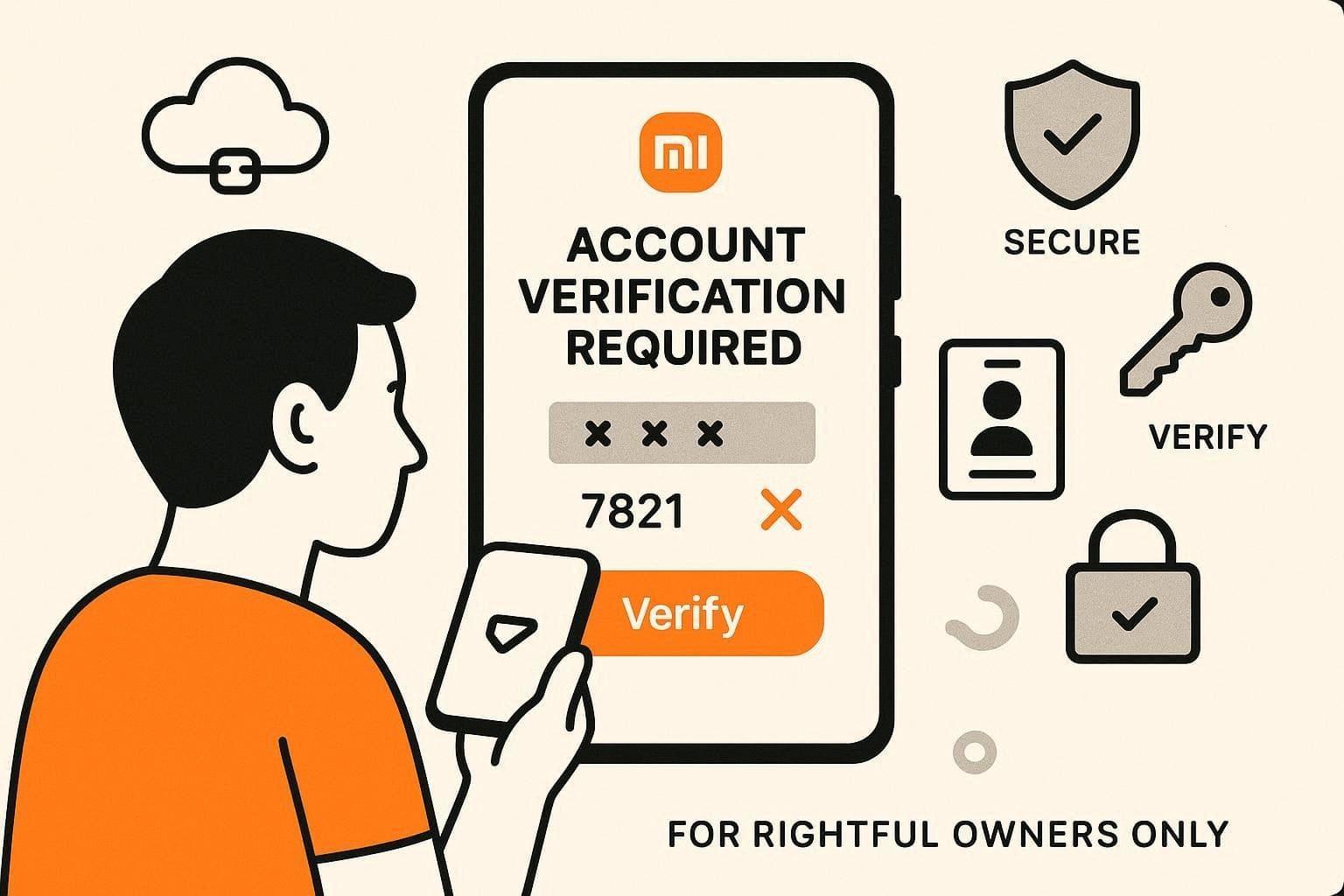
- Server Check: Your device status is saved on a secure and private Xiaomi server. The phone must receive a signal from the server to open fully.
- Anti-Theft Protection: These security systems stop people from selling stolen phones to other users. You must provide a password to prove that you bought the device.
- No Master: There is no universal code that can unlock every single Xiaomi phone. Each device needs its own unique verification through an official account login.
- Identity Proof: You need to show real proof of ownership to clear any locks. This process convinces the support team that you are the legitimate phone owner.
- Data Safety: Real verification protects your personal data files from being stolen. This method ensures that your sensitive data remains under your total control.
Part 3. How to Recover Your Mi Account Safely (Official Methods)
If you lose access to your Mi account, recovery through official methods is essential. The following methods explain simple, approved ways to restore access without much hassle:
1. Reset Mi Account Password via Settings
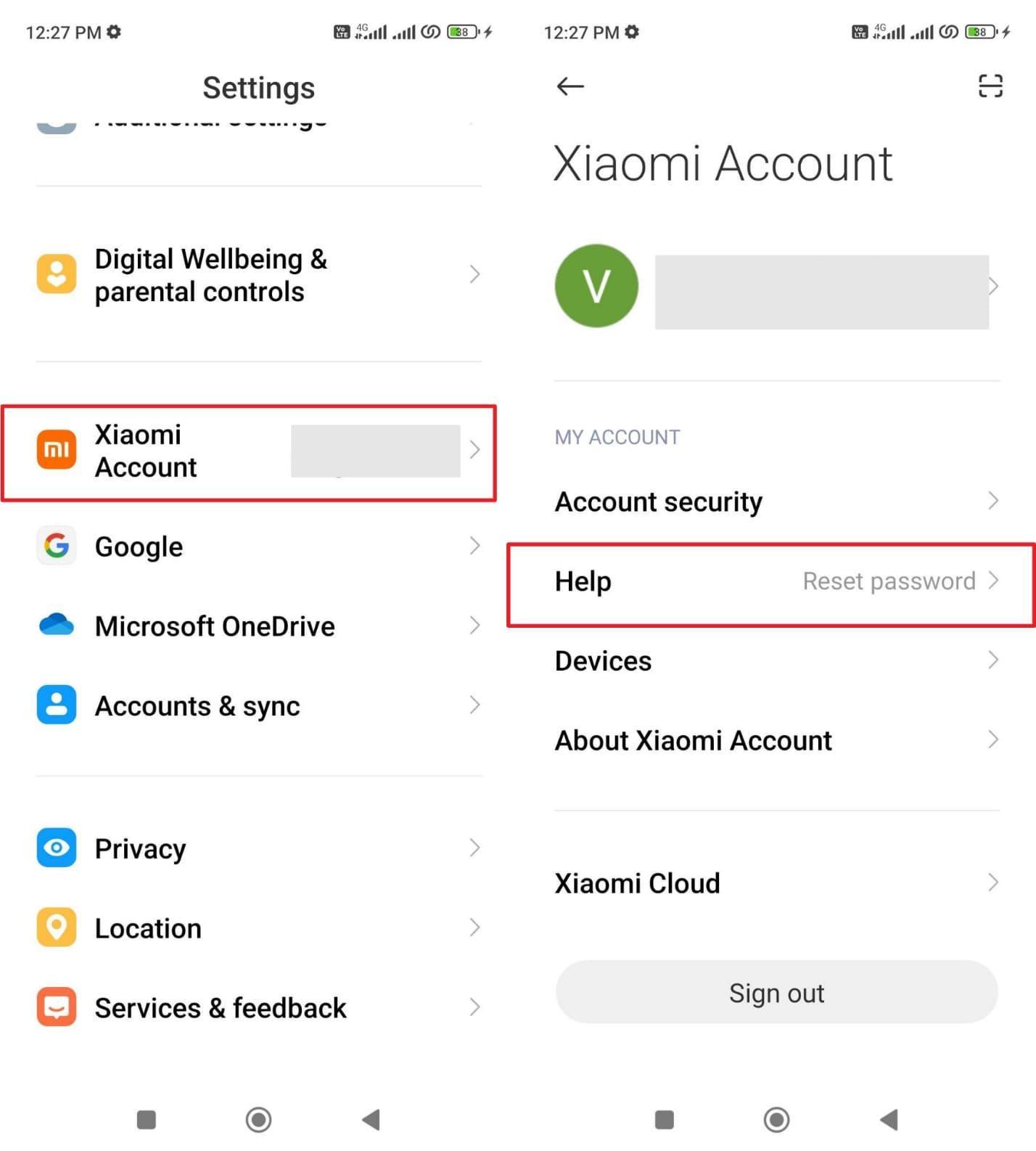
The settings menu provides a direct way to change or restore your Xiaomi login details. It allows quick verification using your phone number or linked email address. Unlike a Mi Account unlock tool, this native option ensures full security and control. Yet, it is ideal when you remember recovery details but forgot the main password. Hence, go through the steps to restore your account access through the phone:
Step 1. As you access your Xiaomi’s settings app, navigate to “Xiaomi Account.” Then, head to the “Help” section on the next screen.
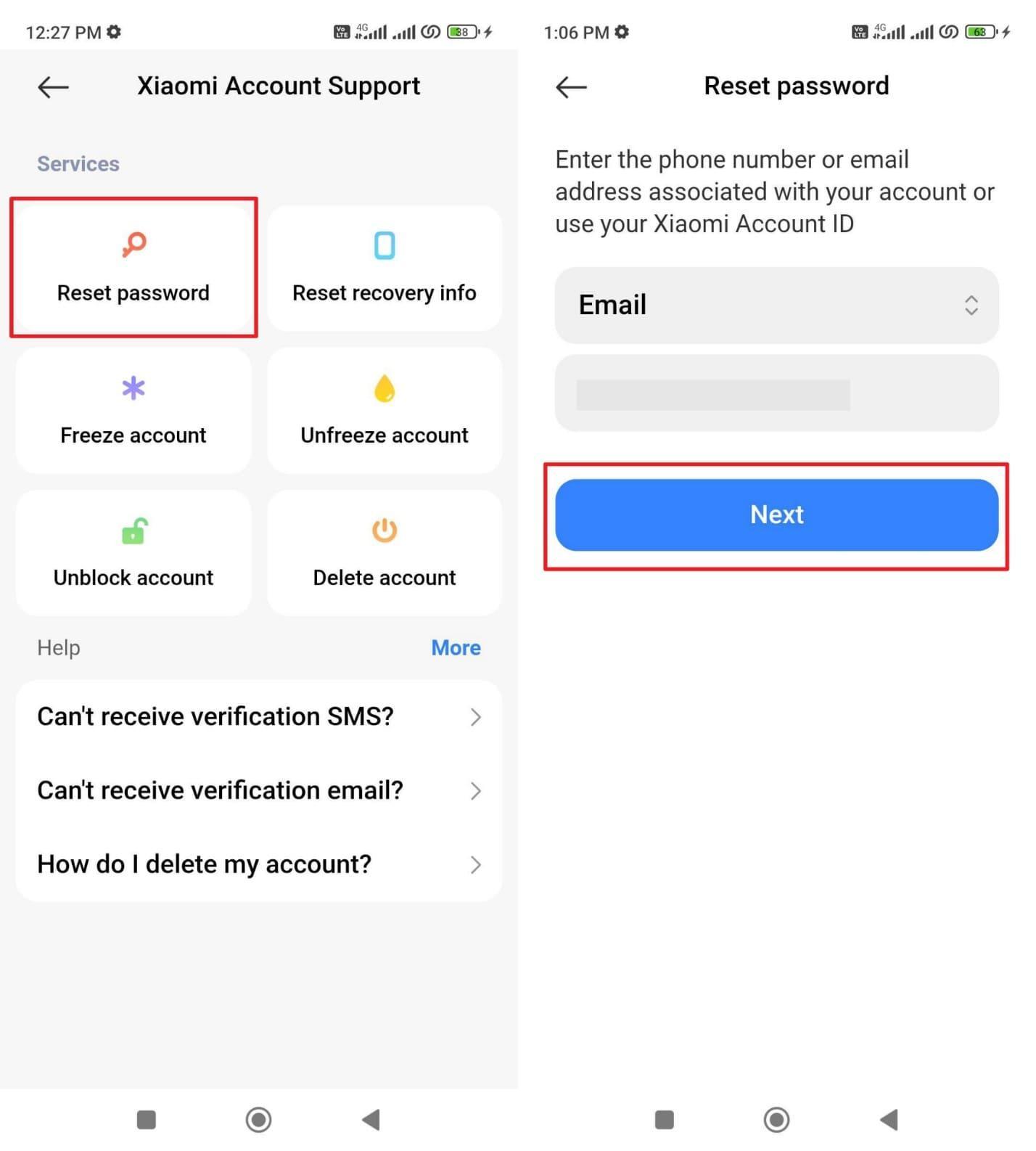
Step 2. Following this, tap “Reset Password” to choose “Email” and add your registered email address. Next, tap “Next” to verify your identity and then add your new password.
2. Reset Mi Account Password via Browser
Resetting your Mi account password through a browser is a flexible option. It lets you recover access from any device with an internet connection. You can verify identity using your registered phone number or email address. This method ignores any Mi account lock code myths entirely, safely online. It is ideal for users who cannot access their device but remember their account details. Take guidance from the steps to use this approach:
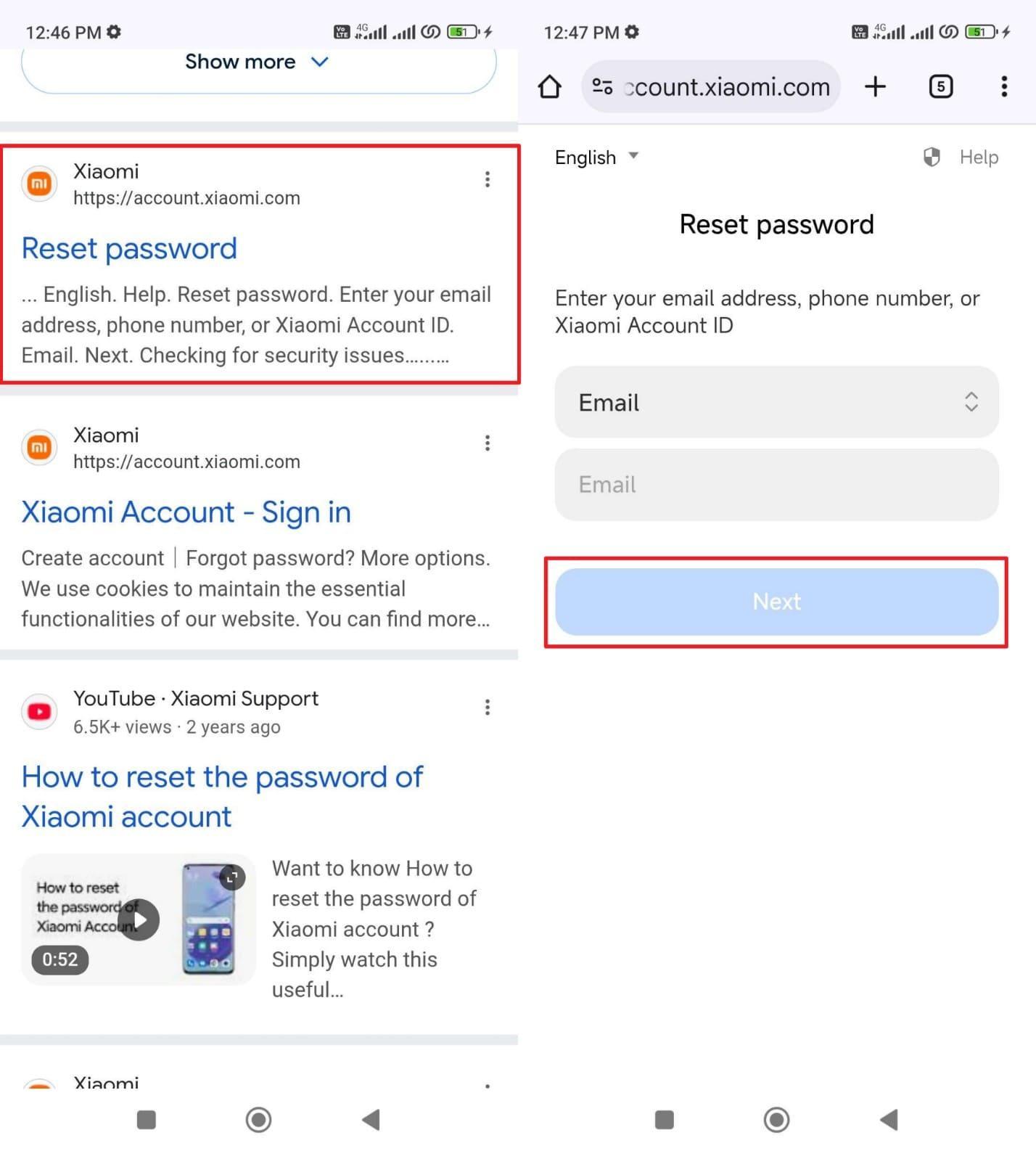
Step 1. To initiate, search for “Mi Account Password Reset” on your device’s browser and open the official website. Then, choose “Email” to type your registered email and press the “Next” button.
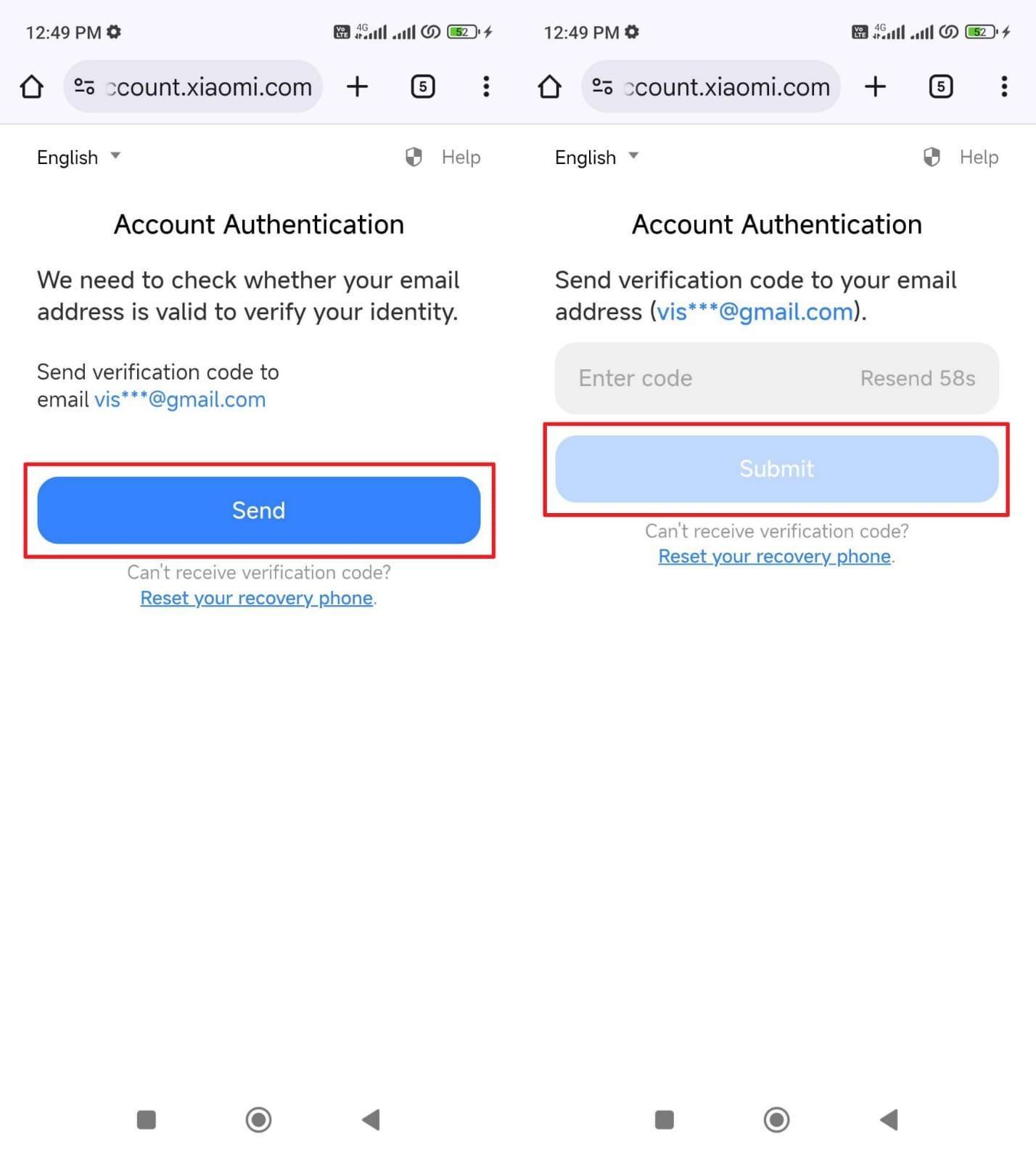
Step 2. Upon doing this, tap the “Send” button to receive a verification code in your email. After that, input the code to press “Submit” and follow the prompt to reset the password.
Part 4. When and Why Using a Mi Account Unlock Tool Is Recommended
Official recovery methods might fail if you lose your linked phone number. In such cases, professional tools offer a necessary and practical alternative for users. This helps you understand if your phone is eligible for a digital unlock. Thus, explore these specific situations where a tool becomes your best available option:
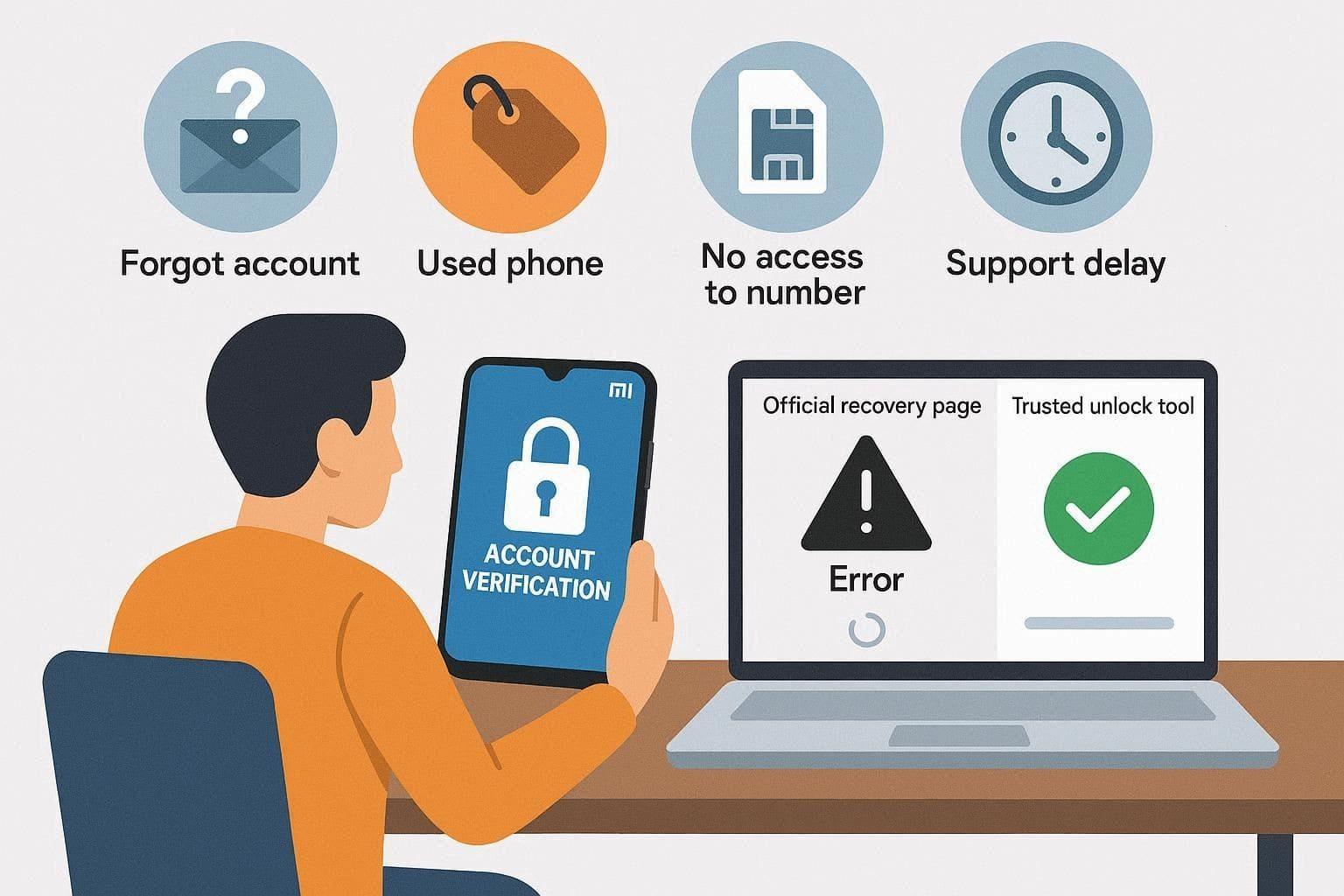
- Forgotten Credentials: You cannot remember your original password or the registered email address. A professional tool can help you regain access without needing those specific details.
- Used Devices: You bought a used phone that is still linked to a previous owner. These tools allow you to remove the old account to start fresh without hassle.
- Support Delays: Waiting for official customer support can take many days or even several weeks. You can save time by using a reliable tool to fix it immediately.
- Phone Bound: Your device is currently bound to a number that no longer exists. A specialized tool bypasses the need for receiving a text message verification code.
- System Errors: Sometimes, the official reset website does not work on your current browser. Professional software provides a stable space to handle the entire unlocking process.
Part 5. Using Dr.Fone: A Guided Workflow to Unlock Mi Accounts
When official methods fail, you need a powerful solution like Dr.Fone Online Unlock. This professional service can remove the MI account lock on all Xiaomi mobile devices. Besides, you can bypass the security screen without needing any password or phone number. Along with Xiaomi devices, it supports all sub-brands, including Redmi and the Poco series phones. Users simply submit their device information and the unlock code to begin processing.
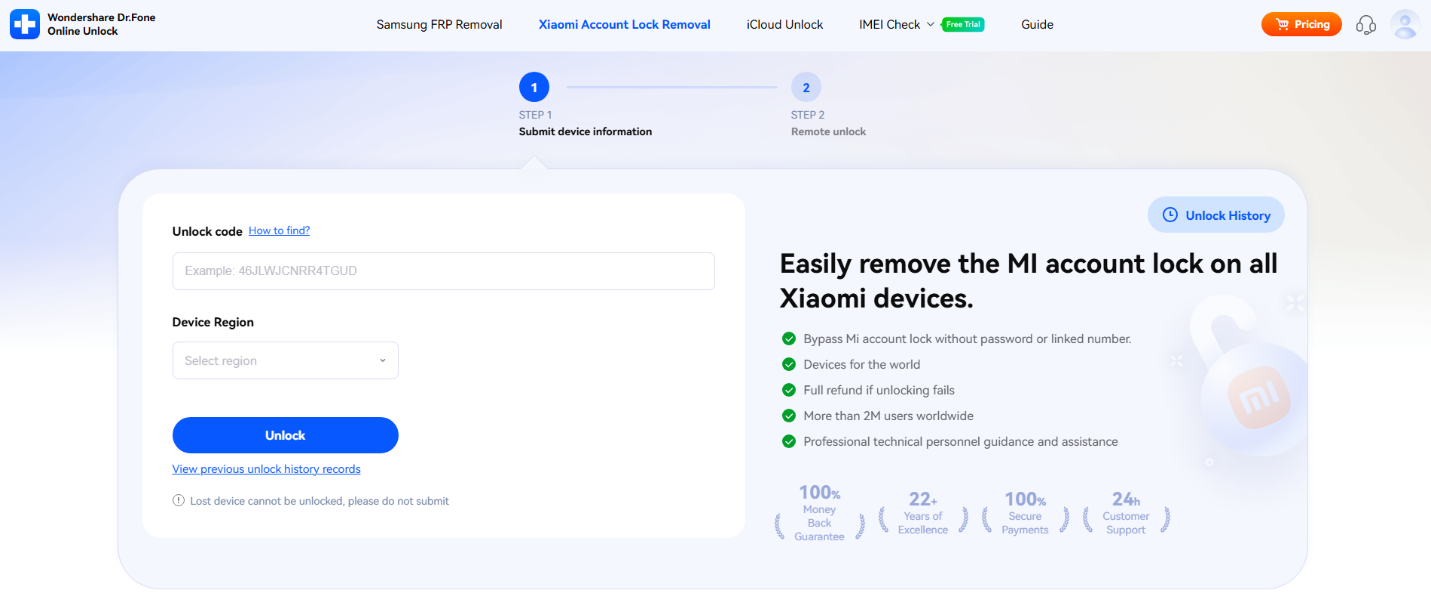
After confirming details, the request enters a secure queue for quick server‑side processing. Usually, the unlock completes in 1 to 24 hours, depending on the region or model. You can also track your progress online through a simple and clear “Unlock History” page. Apart from that, the free IMEI checker lets users verify unique device details before unlocking.
Key Features
- Region Support: Covers all countries and regions, including Europe and the Middle East.
- Version Compatibility: Works perfectly with MIUI 1–14 and all HyperOS system versions.
- Secure Encryption: Protects user data throughout the entire unlock process with strong encryption.
Stepwise Guide to Use Dr.Fone Online to Unlock Mi Account
This official mi account unlock tool offers a very simple and clear guided process. So, you can regain access to your locked phone by following these specific steps:
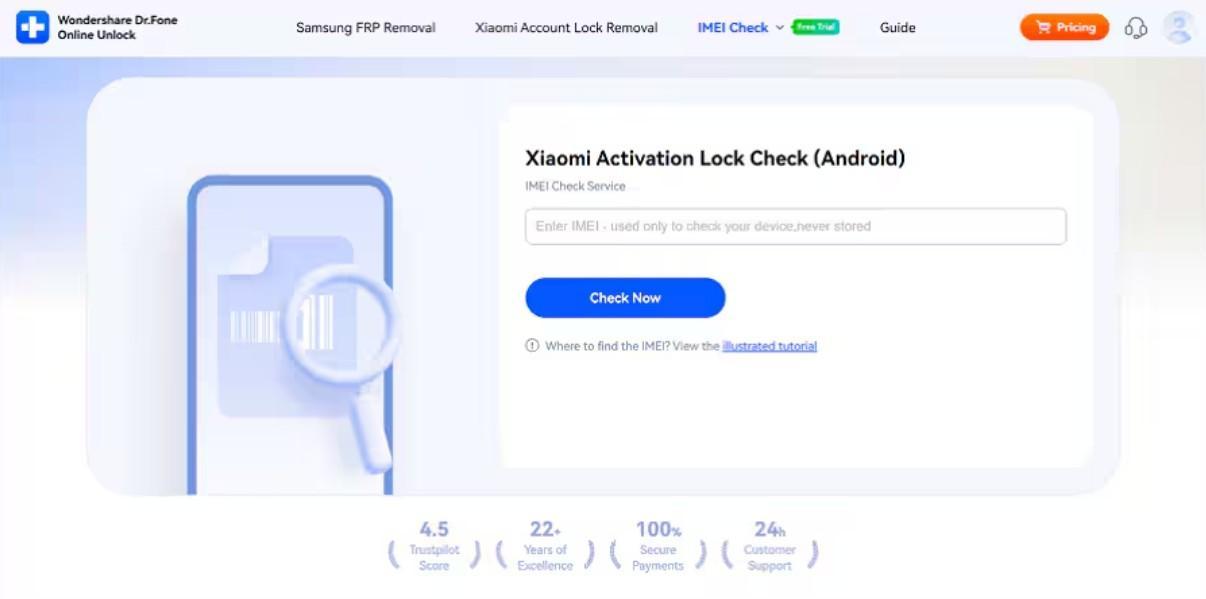
Step 1. Open the Xiaomi Unlock Page
Start by visiting the “Dr.Fone Online Unlock” platform and selecting “Xiaomi Account Lock Removal.” After that, type in your phone’s IMEI number and click “Check Now” to proceed.
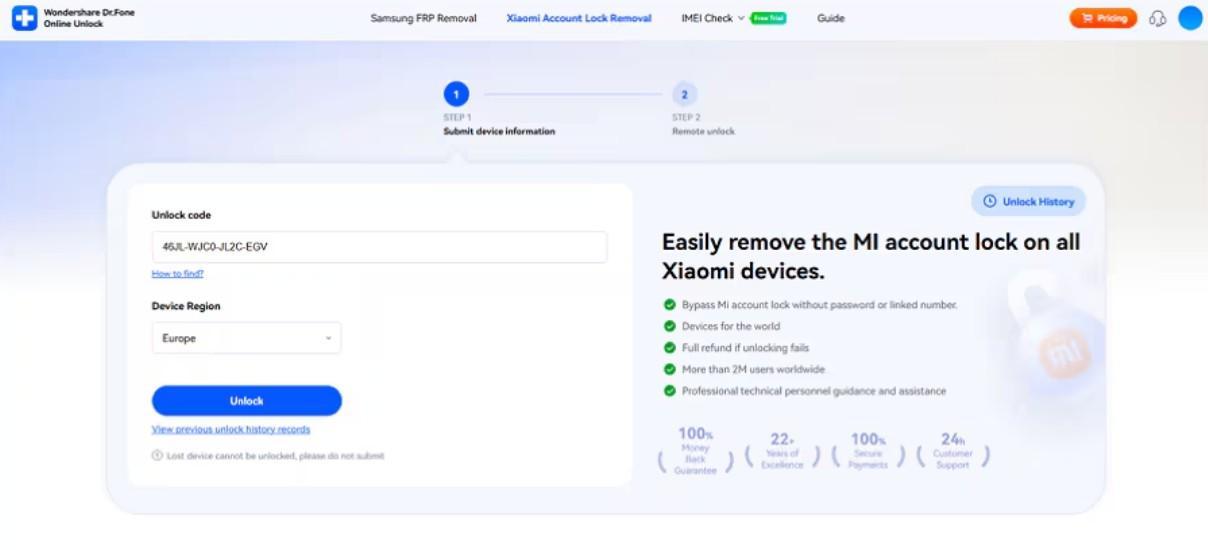
Step 2. Provide Required Unlock Information
When prompted, you need to enter the “Unlock Code” of your Xiaomi device. Here, select the region for your device, then click “Unlock” to initiate the verification.
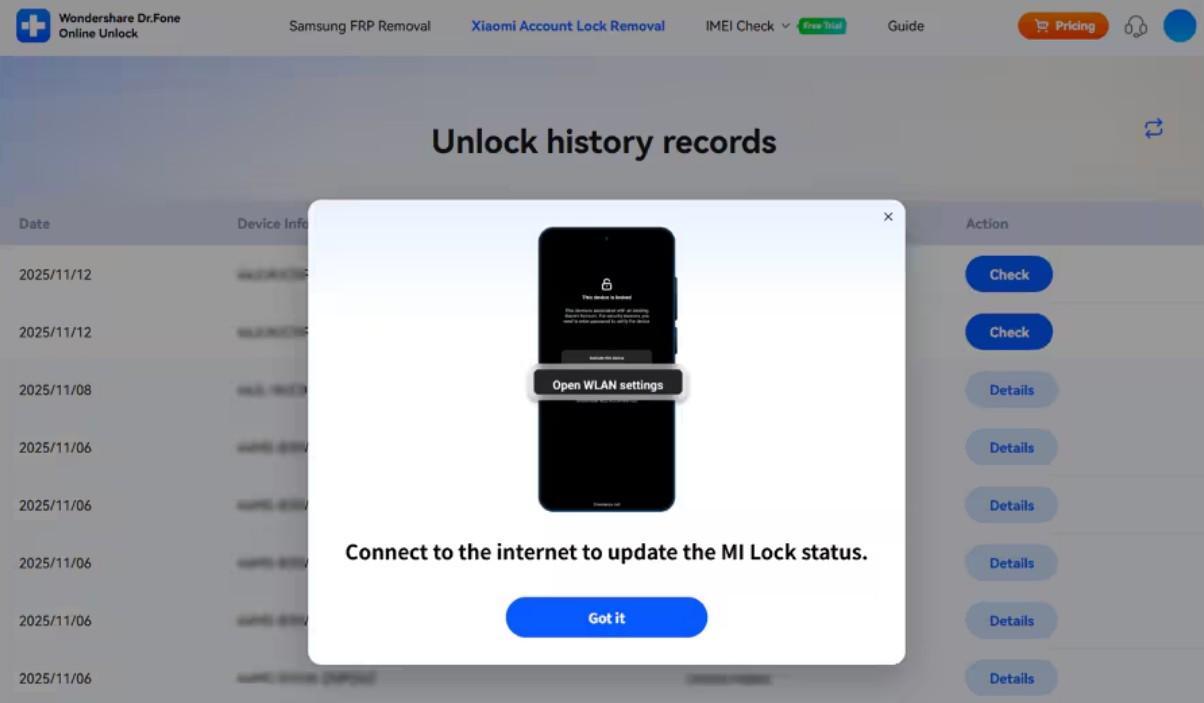
Step 3. Confirm and Remove the Mi Account
Afterward, wait for a few hours, between 1 and 24 hours, to complete the process. Next, check your email or head to the “Unlock History” section. Once the request is approved, press “Check” and follow the on-screen guide to finalize the Mi Account removal.
Conclusion
To conclude, choosing the right method to fix your device is very important for safety. You should stop searching for secret codes because they do not really work. Official verification is the first way to prove you own the locked phone. If official paths fail, you need an expert way to regain access. So, it is highly recommended to use Dr.Fone Screen Unlock to resolve your account issues fast.