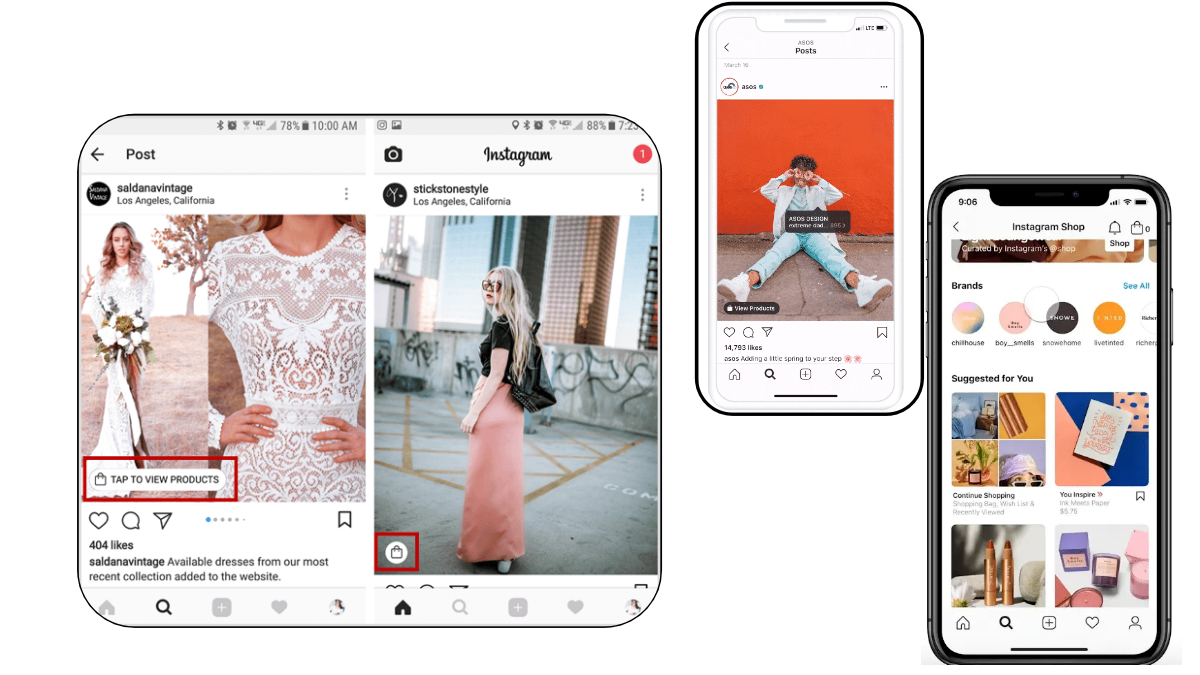
By far, Instagram has come forth to be seen as the most used social media site but not just for socializing but also is increasingly being used as a shopping store. With the recent improvement in its features, Instagram allows you to add tags so that your Instagram followers can buy products from an online shop simply by tapping the product. In short, Instagram has updated itself as a shopping store. We shall be exploring more about this in the article below.
What is Instagram Shopping?
With the latest update of Instagram, you can now add five tags of products per image or like twenty per carousel to enable your followers to buy these products with the simple tap of a button. The product that is tagged has all the information along with the pricing making Instagram shopping the right option as a business shop through mobile.
Getting started with Shopping on Instagram
Before you decide to use Instagram for your shopping purpose, there are a few things that you should keep in mind. These include:
- Having the latest version of Instagram application installed
- The account of your Instagram must be converted to a business profile in order to be used for shopping
- You must be a business manager account or a page admin
- You must have a Facebook shop or have a product catalog within a business manager
The thing to note here is that you will only be allowed to tag those products on Instagram photos which are coming from shops that are eligible and are related to the actual business of e-commerce. The reason for this is to ensure that the platform is trustworthy and that shoppers actually see the products that they can buy, so they can later buy them from the related sellers.
By following the steps below, you will be able to activate the Instagram shopping on your account and increase your IG likes and visits to your page:
- Visit your Instagram profile
- Click on the “Get started” alert located on the top
- In case you can’t find the alert, go to settings icon
- Tap the “products”
- And the tap “continue”
- To connect to your business profile, select a product catalog
- And finally, tap done.
And you’re done!
How to Tag Products on Instagram to Run a Shopping Store?
If you are planning to use Instagram for promoting your shopping store, you definitely need to know the method to add tags to your photos and videos. With ease, you can start tagging your Instagram posts with your catalog products. Here is how to do it!
In order to add tags to your products, follow this method.
- First and foremost you start with creating a post and add filters and effects according to your choices and requirements.
- Once your photo is selected, tap on that section of the photo where you want the tag to be added. Clicking on the photo will show the option of adding the tag.
- The next step to follow is to start typing the product name in the box that opens up. The name of the product will appear in the box, so once it appears click the name.
- Once that is done, click the “done button”
- Finally tap share to post this on your profile.
Much the same method is followed for an existing post. In order to see the tagged posts, go to the tag people and tag products section. Also, they can be viewed on the page where the caption is added before the posting. Here, you can save it to drafts for later use.
The rule follows that you can add about 5 products for a single-image post or in case of a multi-image post, up to 20 products. Once your product is done being tagged on Instagram, it will display the language and currency of your catalog on a global scale. Having done this, you are now ready to enter the sales game on Instagram.
In the very end, we can conclude that Instagram is increasingly being used as a shopping store as it was used before. So, if you intend to benefit from this shopping feature, give this article a read.